Services & pricing

Automations and AI agents, each with a price on it.

Everything here is a fixed price agreed before I start. The “from” figures are honest starting points for a small business with ordinary tools; the walkthrough is where the exact number comes from.

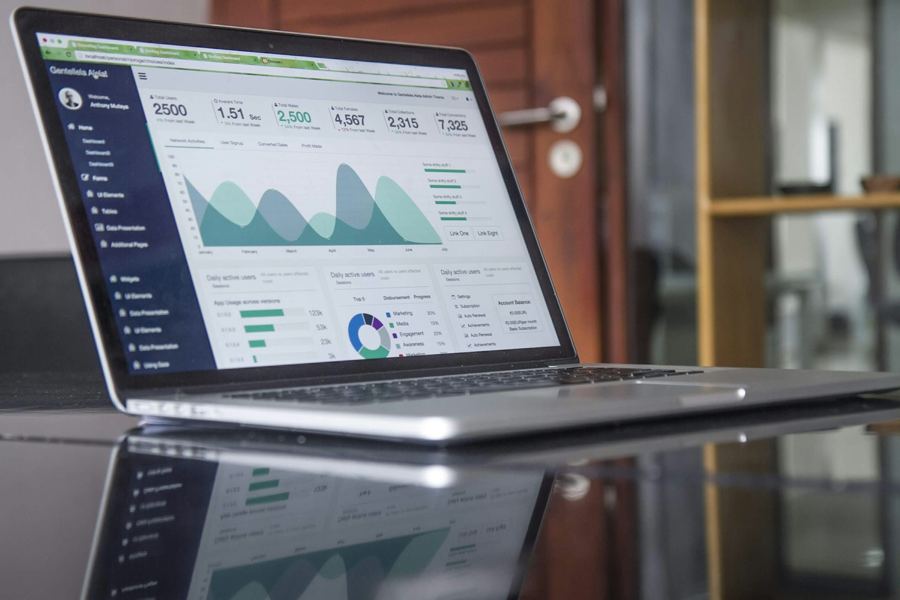
Laptop on a desk showing a daily numbers report
01

Free walkthrough

Thirty minutes, on-site or on a call. You show me one or two everyday processes; I tell you what I would automate first, whether it needs a rule or an agent, what it would cost, and what is not worth doing.

What you get

  • A look at how a quote, order, or schedule actually moves today
  • A short written summary with a first build and a fixed price
  • No obligation, no follow-up sequence
02 Rules-based

Fixed-price automation build

One rules-based automation from the catalog below, built on the tools you already use, tested on your real data, and handed over with your team trained. Most single builds take one to three weeks.

What you get

  • A written scope that says exactly what “done” means
  • Built on your existing email, spreadsheets, accounting, CRM, or scheduling tools where possible
  • A person in the loop wherever money or customers are involved
  • A plain-language how-to and a hand-off session for your team
  • You own everything I build
03 AI agent

AI agent build

One agent that reads unstructured input, decides what to do, acts in your tools, and routes anything uncertain to a person. Runs in shadow mode on your real data before it touches anything.

How I build AI agents

What you get

  • A written scope that says exactly what the agent decides and what it never decides on its own
  • A human approval queue for anything involving money, customers, or deletion
  • A readable log of every run and every decision
  • Your learned rules, visible and editable
  • 90 days of monitoring included, with accuracy reported monthly
  • A hand-off session and a plain-language runbook
  • You own everything I build
04

Connected systems

Several automations or agents working together: intake that feeds quoting that feeds invoicing, with one review queue and one log. Scoped as one project with one fixed price.

What you get

  • One written scope covering the whole chain
  • Shared approval queue and run log
  • Built in stages, each live before the next starts
  • Training and runbook for the whole system
05

Monitoring & care

Optional and month to month. I keep what we built running, fix problems before you notice them, make small changes as your process changes, and add the next build when you are ready. Agent builds cost more to care for because accuracy has to be measured, not assumed.

What you get

  • Monitoring and fixes
  • For agents: monthly accuracy report and review of what it learned
  • Small changes included; bigger additions quoted as fixed-price builds
  • Cancel anytime; everything keeps working and stays yours
06

AI & automation opportunity audit

For businesses with several systems and a dozen candidate builds, the free walkthrough is not enough. A two-week audit maps the work, scores each opportunity in dollars, marks which need an agent, and gives you a ranked roadmap you keep either way.

What you get

  • On-site walkthrough plus a review of the data and systems you already have
  • 10–15 scored opportunities, ranked by estimated dollars and difficulty
  • Each one marked rules-based or agent, with a starting price
  • A written roadmap you keep whether or not we work together
  • The audit fee is credited toward the first build

What I automate

13 builds small businesses ask for most

Rules-based builds start at from $1,500; AI agent builds at from $3,000. Items tagged “Both” can be built either way; the walkthrough decides which.

  • 01 Both

    Leads & intake

    New inquiries from your website, email, or phone notes land in one list, get a reply within minutes, and get assigned to a person.

    ExampleA web form or forwarded email becomes a row in your sheet or CRM, with a same-day reply already sent.

  • 02 AI agent

    Quotes & invoices

    Quotes drafted from the customer’s request, invoices sent when the job closes, and reminders for the ones that go unpaid.

    ExampleA quote drafted from a customer’s drawing or email in minutes instead of Friday night.

  • 03 AI agent

    Project submittals & closeout

    Submittal packages, RFIs, transmittals, and closeout binders assembled from your drawings, spec sections, and product cut sheets, in the format the owner or GC requires.

    ExampleA submittal package built from the spec section and your cut sheets in an afternoon, with the transmittal log already updated.

  • 04 Both

    CAD & drawing integrations

    Dimensions, part counts, materials, and hole tables pulled from your CAD models and drawings into quotes, bills of materials, travelers, and nesting lists automatically.

    ExampleA DXF or SolidWorks file lands in the inbox and a bill of materials and draft quote are waiting five minutes later.

  • 05 Rules-based

    Scheduling & reminders

    Appointments and crew schedules that send confirmations, day-before reminders, and reschedule links by text or email.

    ExampleThe day’s plan goes to the right phones each morning without anyone retyping it.

  • 06 AI agent

    Paperwork

    Forms, POs, job photos, and receipts filed to the right job automatically. No more retyping between systems.

    ExampleAn emailed PO becomes an order in your system, with anything unusual flagged for a person.

  • 07 Rules-based

    Daily numbers report

    One short email every morning: yesterday’s sales, open jobs, overdue invoices, and anything that needs a decision.

    ExampleThe report you used to build in a spreadsheet on Monday, in your inbox at 7 a.m. every day.

  • 08 AI agent

    Inbox & AI answers

    An assistant that drafts replies to routine emails and answers staff questions from your own documents. A person approves before anything goes out.

    Example“What did we bid on the Henderson job?” answered from your files in seconds.

  • 09 Rules-based

    Counts from your cameras

    Hourly customer, vehicle, or pallet counts and wait times from the security cameras you already own. Counts and timings only, never identifying people.

    ExampleA busy-hour chart from the camera already pointed at your door, with no new hardware.

  • 10 Both

    Purchase orders & inventory

    Reorder points, PO drafts to your usual vendors, and receiving matched against what was ordered.

    ExampleStock drops below the reorder point and a PO draft is waiting for a one-click approval.

  • 11 Rules-based

    Job costing & time tracking

    Hours, materials, and receipts rolled up per job so you see margin while the job is still open, not after.

    ExampleEvery open job shows actual versus quoted cost, updated daily, without a spreadsheet.

  • 12 Rules-based

    Certs, inspections & safety records

    Certifications, inspections, and training records tracked with expiry reminders and audit-ready reports.

    ExampleExpiring certs flagged sixty days out, with the renewal email already drafted.

  • 13 Both

    Follow-ups & reviews

    Post-job thank-yous, review requests, and check-ins with customers who have gone quiet, sent on a schedule you set.

    ExampleEvery closed job triggers a review request; every customer quiet for ninety days gets a check-in.

Getting started

Start with the free walkthrough

Thirty minutes is enough to find out whether there is something worth automating in your business, whether it needs a rule or an agent, and what it would cost. If there is not, I will say so.

  1. Free walkthrough · Free
  2. Automation build · from $1,500
  3. AI agent build · from $3,000
  4. Monitoring & care · from $400/mo rules-based · from $600/mo agents

Next step

Find out in thirty minutes.

Thirty free minutes is enough to find out what I would automate first in your business and what it would cost. If nothing is worth doing, I will tell you.